
How to Use AI to Audit Your LinkedIn Profile for Exponential Growth

sushakanaujia
Author
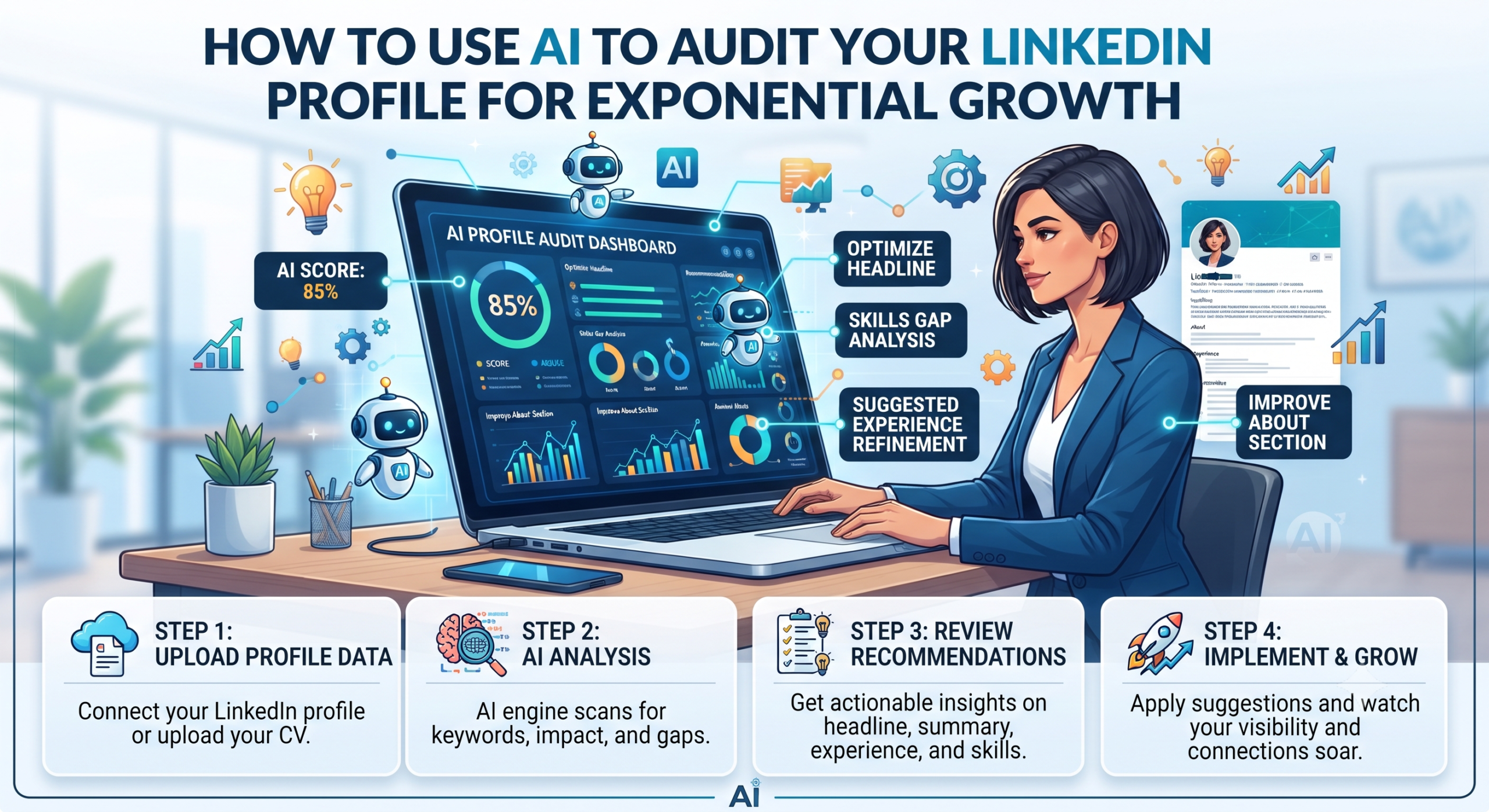
Alright, let’s cut to the chase: your LinkedIn profile probably sucks
Yeah, I said it. Most people treat LinkedIn like an online resume graveyard. They slap up some old job descriptions, a dusty headshot, and then wonder why opportunities aren’t knocking. They think they’re “networking” by clicking ‘connect’ on everyone they’ve ever met. Nope. That’s just digital hoarding.
Here’s the thing. In 2024, your LinkedIn profile isn’t just a place to list your past gigs. It’s your personal landing page, your inbound lead magnet, your digital handshake with the world. And if it’s not working its butt off for you, it’s collecting dust.
But manually auditing your profile for every little detail that screams “hire me” or “work with me”? That’s a grind. A never-ending deep dive into keywords, readability, and the subtle art of not sounding like a robot. Frankly, who’s got time for that?
Enter AI.
No, I’m not talking about some magic bot that’ll write your life story for you. I’m talking about a smart co-pilot that helps you use AI to audit your LinkedIn profile faster, better, and with way more impact than you ever could alone. We’re going to turn that dormant page into a lead-generating, opportunity-attracting machine. Because honestly, you deserve more than just “endorsed for leadership.”
Why You Must Use AI to Audit Your LinkedIn Profile: It’s Your Growth Funnel
Forget fancy titles for a second. Think about your LinkedIn profile as a crucial stage in your personal or business funnel. Someone lands on your profile. What’s the conversion rate? Are they hitting that “follow” button, sending an InMail, or peeking at your website? If not, you’re bleeding potential.
Studies show complete LinkedIn profiles are 40x more likely to receive opportunities than incomplete ones. Forty times! That’s not a rounding error, that’s a gaping hole in your strategy if your profile isn’t squared away. And guess what? An improved headline alone can boost profile views by a solid 20-30%. We’re talking low-hanging fruit with high-impact returns here.
So, how do we fix it? We put some artificial intelligence to work.
Trust me on this one.
Real Talk: How AI is Already Being Used to Audit & Improve LinkedIn Profiles
Think AI profile improvement is just for us growth nerds? Think again. Big players and nimble hackers are already making moves. It’s not some abstract concept; it’s driving real numbers.
Example 1: How Salesforce’s Sales Team Gets More Leads with AI
Imagine Salesforce, right? Giant company, thousands of sales reps. Each of those reps has a LinkedIn profile. If those profiles are all over the place, their brand messaging is diluted, and they’re missing out on potential leads.
- The Play: Salesforce could be using an internal AI tool to audit and standardize their sales team’s LinkedIn profiles. The AI would gobble up data from top-performing sales profiles across the industry and within their own company. It’s looking for patterns: the keywords that attract ICPs (“CRM strategy,” “digital transformation”), the phrasing that converts, and how achievements are quantified.
- The AI Magic: Then, for each sales rep, the AI kicks in. Input their territory or industry focus, and boom—tailored headline suggestions, tweaked summary wording, and bullet points for their experience section, all designed to speak directly to their niche’s buyers. It even watches which profiles get the most inbound interest (profile views from target accounts, connection requests), feeding that data back for continuous refinement.
- The Payoff: We’re talking a potential 15-20% jump in qualified inbound lead inquiries directly from LinkedIn. Seriously. Plus, connection acceptance rates could jump from 25% to 40%, and InMail responses might double. This isn’t just about finding a job; it’s about making a mega-brand’s entire sales force a unified, lead-generating powerhouse. Your people become an extension of your marketing.
Example 2: The “Growth Hackers United” Leader Who Used AI for Thought Leadership
Ever wonder how some community leaders always seem to post exactly what you need to hear, drawing thousands of reactions? It’s not always pure genius. Sometimes, it’s genius plus AI.
No fluff — just the facts.
- The Play: A community leader for, say, 50,000 growth marketers wants to dominate “SaaS growth” and “audience engagement” topics. They start with an AI profile audit to ensure their profile is perfectly aligned with those keywords. This means they get found by everyone from event organizers to potential strategic partners.
- The AI Magic: After that foundation is solid, they feed their past high-performing LinkedIn posts (and relevant industry articles) into an AI content analyzer. The AI pinpoints what kind of language, tone, and keyword combos drive engagement. It identifies content gaps, suggesting new angles or formats. Plus, it helps segment followers so they can create super-targeted content.
- The Payoff: This person saw a 30% increase in organic reach per post because their content became eerily on-point. Their “Join my webinar” CTAs? 10-12% higher click-through rates. And a crucial one: 25% faster growth in relevant followers. They weren’t just guessing; they were strategically improving their voice and their audience.
Look, this isn’t science fiction. These are the kinds of gains you can see when you take your profile seriously.
How to Use AI to Audit Your LinkedIn Profile: The 30-Day Growth Challenge
Ready to stop reading and start doing? Here’s your campaign. Let’s aim for 5-7 qualified inbound inquiries within 30 days. This is for you, Ambitious Alex, the B2B consultant looking for new clients.
Tools You’ll Need: AICreatify (or a similar AI profile auditor), maybe LinkedIn Sales Navigator if you wanna get real fancy with targeting, and a content scheduler like Buffer or Hootsuite.
Phase 1: Foundation – Get That Profile Dialed In (Day 1-7)
1. Run the Damn Audit (Day 1-2)
- Action: Go to AICreatify. Connect your LinkedIn profile. Hit that audit button. Don’t flinch.
- Practical Steps: Pay special attention to “Profile Score,” “Keyword Relevance,” and “Engagement Potential.” AICreatify is gonna tell you what’s weak. Prioritize those suggestions for your Headline, Summary, and Experience sections. Think about it: a complete, keyword-improved profile is 40x more likely to attract opportunities. Just improving that headline can give you a 20-30% boost in profile views.
- Execute: Set up every single high-priority AI suggestion. Then, run the audit again. See that score climb? But here’s the crucial part: make sure it still sounds like you, not a word-salad generator. Add your human touch back in.
2. Smart Skills & Endorsements (Day 3-4)
- Action: AICreatify will probably flag some skill gaps.
- Practical Steps: Add those missing, high-demand skills to your profile. Then, hit up 5-10 old clients or colleagues. Send a personalized message asking for an endorsement for those specific, AI-identified key skills. Why? Profiles with 5+ skills are 17x more likely to be found in searches. Endorsements are social proof; they can boost your connection acceptance rates by 5-10%. Don’t underestimate that.
- Execute: Update your skills. Craft those personalized messages. Get those endorsements flowing.
3. Improve “About” & “Featured” (Day 5-7)
- Action: Refine your “About” section. Spruce up your “Featured” section.
- Practical Steps:
- About: Your summary isn’t just about what you do; it’s about the pain points you solve. Weave your target keywords in there, but tell a compelling story. Make it clear why someone should connect.
- Featured: This is prime real estate! Add links to client case studies, testimonials, any thought leadership you’ve got. Got a lead magnet, like a “Free Growth Playbook”? Link it directly.
- Execute: Get those sections live and sparkling.
Phase 2: Activation & Outreach – Make Some Noise (Day 8-21)
1. AI-Driven Content Strategy (Daily)
- Action: You’ve got an improved profile. Now, make it sing with killer content.
- Practical Steps: Aim for 3-4 posts a week. Mix it up: original insights, curated industry news you add value to, and open-ended questions that spark conversation.
- AI for Ideation: Stuck? Feed competitor content or industry trends into a tool like ChatGPT (or AICreatify’s content features if they’ve got ’em) and ask for unique angles or outlines. Don’t copy; get inspired.
- Improve for Engagement: Run your drafted posts through an AI tool to check readability and emotional tone. Are you sounding too stuffy? Too casual? Consistent, high-quality content can increase profile views by 50% and engagement rates by 20-25%. Heads up: posts with images or videos often see double the engagement.
- Execute: Plan your content calendar. Write. Post. Don’t be shy.
2. Targeted Connection & Engagement (Daily)
- Action: Go find your people. Connect. Engage.
- Practical Steps: Set a goal: 5-10 target leads daily. Who are they? “Head of Marketing at SaaS companies >$10M ARR”? You decide.
- Personalize, Personalize, Personalize: Craft a connection request that references something specific on their profile, or a post they shared. AICreatify can help you brainstorm variations. Something like: “Hey [Name], I caught your insights on [topic] – really sharp perspective. As someone focused on [your expertise], I’d love to connect.” That gets a 2-3x higher acceptance rate (30-50%) than generic stuff.
- Engage: Don’t just connect. Comment thoughtfully on 3-5 of your target leads’ posts every day. Show you’re paying attention. Thoughtful engagement can lead to direct inbound messages 10-15% of the time.
- Execute: Get out there and connect smart.
Phase 3: Analysis & Iteration – Rinse and Repeat (Day 22-30)
1. Performance Tracking (Weekly & End of Month)
- Action: Are you seeing results? You gotta check.
- Practical Steps:
- Weekly: Peek at your LinkedIn analytics. How are your profile views looking? Search appearances? Post engagement?
- End of Month: Count those inbound inquiries! Who messaged you? How qualified were they? Did they hit your lead magnet? That’s what we’re here for. Regular analysis lets you adjust. A 15% bump in profile search appearances means more decision-makers are finding you.
- Execute: Log your results. See what’s working, what isn’t.
2. Re-Audit & Refine (Day 30)
- Action: Run AICreatify again. Seriously.
- Practical Steps: Compare your current score and recommendations to your initial one. Identify new improvement opportunities. LinkedIn’s algorithm changes, your target audience evolves, and you probably have more content now. Continuous improvement leads to sustained growth of 5-10% month-over-month in visibility and engagement.
- Execute: Set up the fresh AI suggestions. Get ready for the next 30-day cycle.
You can totally grab some cool new ideas for your social media content over at the Instagram Caption Generator or the Hashtag Generator on AICreatify!
Beyond the Audit: Expanding Your Growth Stack
AICreatify’s amazing for the audit. But true growth marketers use a suite of tools.
- CRM Integration: If you’re a B2B pro, connect your LinkedIn activities (new connections, those DM conversations) to your CRM like HubSpot or Salesforce. This helps you actually track leads and close deals.
- Content Scheduling: You can’t be on LinkedIn 24/7. Use Buffer or Hootsuite to schedule those AI-informed posts consistently. Consistency, remember, is huge for that ~30% increase in weekly profile views and search appearances.
- AI Writing Assistants: For drafting more complex posts, summaries, or InMail messages, tools like Jasper.ai or even advanced ChatGPT prompts can take your AI-audited insights and turn them into compelling copy.
What about time? Block out 2-4 hours for that initial deep dive. Then, just 15-30 minutes weekly for content planning, engagement, and minor tweaks. Re-audit fully every 1-3 months. It’s an investment, not a time sink.
LinkedIn Features You Should Be Using, AI-Informed
- Creator Mode: If you’re serious about thought leadership, turn this on. Use your AI audit to figure out which #hashtags will maximize your visibility.
- Skills Assessments: LinkedIn has its own skill quizzes. Use those to validate skills AI identifies as crucial. It’s extra social proof.
- LinkedIn Learning: If AI flags a skill gap, LinkedIn Learning is right there. Use AI to find courses to fill those gaps.
A Quick Word on Ethical AI Use
Listen, AI is a co-pilot, not the pilot. Always keep the “human in the loop.” Review everything AI suggests. Does it sound like you? Does it reflect your authentic brand voice? If not, tweak it. The goal is amplified authenticity, not robotic perfection.
Also, be smart about which tools you connect your data to. Check privacy policies. Reputable tools (like AICreatify) use secure APIs. And please, for the love of all that’s holy, don’t use AI for spamming connection requests or mass messages. LinkedIn will catch on, and it’ll trash your personal brand faster than you can say “algorithm update.” Use AI for insights, not for shady automation.
Ready to stop guessing and start growing? Get over to AICreatify’s LinkedIn Hooks for Founders and start crafting some seriously engaging content. Your profile deserves it.
Frequently Asked Questions
Q: What’s the biggest mistake people make on LinkedIn profiles?
Oh, easy. It’s treating their profile like a static resume that just sits there. LinkedIn isn’t a museum. So it’s an active network. Not improving for keywords, ignoring engagement, and failing to tell a compelling story are major killers. You’ve got to treat it like a live, breathing piece of your personal brand.
Q: How often should I re-audit my LinkedIn profile with AI?
Look, the world moves fast. I’d say do a full, deep AI audit every 1 to 3 months, minimum. Definitely do one after any major career move, job change, or if you pivot your target audience. You also want to do small checks periodically based on your performance metrics. The algorithm changes, industry trends shift, and your goals evolve.
Q: Can AI help me with my LinkedIn content strategy too?
Absolutely, it can. Beyond just auditing your profile for keywords and tone, many AI tools can help with content ideation. You can feed it industry trends or even your own past successful posts, and it’ll suggest new topics, angles, or even draft outlines that are designed to resonate with your audience and drive engagement. It’s like having a brainstorming partner who never sleeps.
Q: Is using AI for my LinkedIn profile cheating?
Nope, not at all. Think of AI as a turbo-boost for your existing efforts, not a shortcut around doing the work. It helps you identify blind spots, improve for discoverability (which 98% of Fortune 500 companies already use with their ATS systems anyway), and personalize your outreach at a scale that’s impossible manually. The human still brings the expertise, the judgment, and the authentic connections. AI just makes you smarter, faster.
About Author
Susha Kanaujia
Product Manager and AI enthusiast with 16+ years of experience in technology and digital products.
Is Your LinkedIn Profile Holding You Back?
Get an instant AI audit of your headline, About section, and keywords. Discover exactly what recruiters see and get 1-click Before & After rewrites to rank higher in searches.
+42% Recruiter Views predicted if you fix 3 keyword gaps.
🚀 Enjoying AICreatify?
We'd love your support on Product Hunt. ❤️ Upvote us and share your feedback.