
LinkedIn Growth Strategy for Freelancers

sushakanaujia
Author
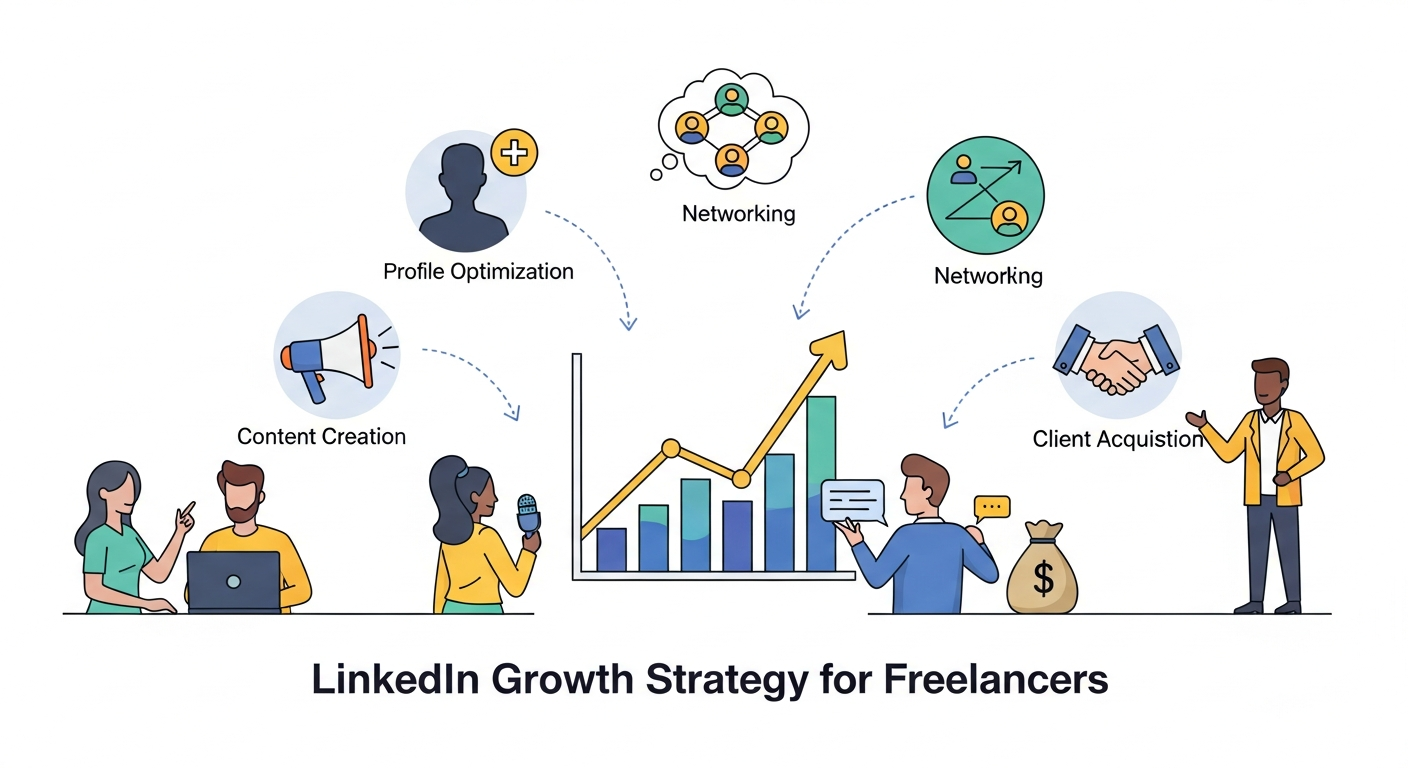
Are you a freelancer struggling to find consistent, high-paying clients? Tired of relying on unpredictable marketplaces and chasing low-ball offers? LinkedIn, the world’s largest professional network, is a goldmine waiting to be tapped. However, a passive profile simply isn’t enough. You need a strategic and data-driven LinkedIn growth strategy.
This guide isn’t about basic LinkedIn tips. We’re diving deep into actionable tactics, leveraging the latest AI-powered tools, and providing real-world examples to transform your LinkedIn profile into a powerful client-attraction engine. Get ready to dominate your niche, establish yourself as an authority, and attract the high-value clients you deserve.
Problem: Many freelancers struggle on LinkedIn because they lack a clear strategy. Their profiles are generic, their networking is unfocused, and their content doesn’t resonate with their ideal clients.
Solution: A strategically optimized LinkedIn presence, tailored to your niche, focused on lead generation, and powered by the latest AI advancements.
Here’s what we’ll cover:
- Why LinkedIn is a Must for Freelancers in 2026
- Crafting a Client-Attracting LinkedIn Profile (with 2026 updates)
- Developing a Content Strategy That Establishes You as a Thought Leader
- Networking Like a Pro: Building Meaningful Connections That Convert
- Lead Generation: Turning Connections into High-Paying Clients
- Measuring Success: Tracking Progress and Optimizing Your Strategy
- Advanced Strategies: Leveraging AI and Automation to Maximize Results
- Essential Tools and Resources for LinkedIn Success
Why LinkedIn is a Goldmine for Freelancers (and Why You Might Be Missing Out – 2026 Update!)
LinkedIn’s 900 million+ members represent a vast pool of potential clients, collaborators, and opportunities. But it’s not just about size; it’s about quality. LinkedIn offers freelancers unparalleled advantages:
- Direct Access to Decision-Makers: Connect directly with hiring managers, CEOs, and key stakeholders, bypassing traditional gatekeepers.
- Showcase Your Expertise & Build Authority: Share valuable content, participate in industry discussions, and position yourself as a trusted thought leader in your niche.
- Build a Powerful Professional Brand: Create a compelling profile that highlights your unique skills, experience, and results.
- Generate High-Quality Leads: Attract targeted leads who are actively searching for the specific services you offer.
Now that you understand the potential of LinkedIn, let’s dive into the first crucial step: crafting a killer profile.
Crafting a Killer LinkedIn Profile That Attracts Clients Like a Magnet (2026 Profile Reboot)
Your LinkedIn profile is your digital storefront. It’s the first impression you make on potential clients. Make it count!
Headline Optimization: Grab Attention and Highlight Your Value
Your headline is prime real estate. Ditch the generic “Freelancer” title and focus on the value you provide.
- Bad: “Freelance Writer”
- Good: “Freelance Writer | Crafting Compelling Content for SaaS Companies”
- Better: “Freelance Writer & Conversion Copy Expert | Helping SaaS Companies Generate $5M+ in Revenue Through Data-Driven Content” (Quantifiable results command attention!)
Actionable Tip: Include a keyword related to your niche and a quantifiable result (if possible).
Summary/About Section: Tell Your Story and Connect with Clients
This is your opportunity to connect with potential clients on a personal level and explain how you can solve their problems.
- Template: “Are you struggling to [Pain Point]? I help [Target Audience] achieve [Desired Outcome] by [Your Unique Approach]. [Call to Action – e.g., Download my free guide, Book a consultation].”
- Example: “Frustrated with low website traffic? I help SaaS companies attract qualified leads and convert them into paying customers with data-driven content marketing strategies. Download my free content audit checklist to identify immediate opportunities: [Link]”
Pro Tip: Write in the first person, use a conversational tone, and focus on the benefits you provide to clients.
Experience Section: Showcase Your Results with the STAR Method
Don’t just list your responsibilities. Highlight your achievements and quantify your impact using the STAR method.
- STAR Method: Situation, Task, Action, Result. “Increased a client’s organic traffic by 30% in 6 months by implementing a comprehensive SEO strategy.
- Situation: Client was struggling with low organic traffic.
- Task: Develop and implement an SEO strategy.
- Action: Conducted keyword research, optimized website content, built backlinks.
- Result: Organic traffic increased by 30% in 6 months.”
Skills & Endorsements: Build Credibility and Social Proof
Choose skills that are directly relevant to your services and actively seek endorsements from clients and colleagues.
- Strategy: Focus on in-demand skills in your niche. Actively request endorsements from satisfied clients.
Optimizing Your Profile Photo and Background Image: First Impressions Matter
Your profile photo and background image are the first things people see.
- Tip: Use a professional headshot that conveys confidence and approachability. Your background image should reinforce your brand and expertise (e.g., showcase your work, your brand colors, or a relevant image related to your niche).
- Example: A graphic designer can use their background image to showcase examples of their best design work.
With a killer profile in place, it’s time to attract the right audience with a strategic content plan.
Content Strategy: Becoming a Thought Leader in Your Industry (Beyond Just Posting Articles)
Content is king, but valuable content is emperor.
What Type of Content Resonates with Your Audience? (Focus on Value)
Understand what your target audience wants to learn and create content that provides genuine value.
- Data Point: Video posts receive significantly higher engagement than other types of content.
- Strategy: Create short, educational videos that address common pain points. Example: “3 Common Website Mistakes That Are Killing Your Conversions” (for a web developer).
Ideas:
- Tip: Short, actionable tips related to your niche.
- Case Studies: Showcase your successes with real-world examples.
- Industry Insights: Share your thoughts on current trends and news.
- Behind-the-Scenes: Give your audience a glimpse into your work process.
Leveraging LinkedIn Articles (Long-Form Content)
Repurpose existing blog content into LinkedIn articles to reach a wider audience and establish your expertise.
- Tip: Optimize your articles for search by including relevant keywords in the title, headings, and body text. Include a clear call-to-action at the end of your article (e.g., “Download my free guide,” “Book a consultation”).
Sharing Valuable Insights and Industry News (Short-Form Content)
Stay top-of-mind by sharing relevant articles and news from your industry, adding your own commentary and insights.
- Strategy: Use a social media scheduler to schedule your posts in advance. Aim for consistency.
Using Visual Content (Images and Videos) to Stand Out
Grab attention with visually appealing images and videos.
- Tool: Canva.
- Actionable Tip: Create templates for quote images, tip images, and promotional graphics to maintain brand consistency.
Creating LinkedIn Newsletters to Nurture Your Audience
Build a dedicated audience by creating a LinkedIn newsletter and sharing valuable insights and updates regularly.
Content is crucial, but it’s not enough. You need to build meaningful connections with the right people. You can use LinkedIn Sales Navigator.
Networking Like a Pro: Building Meaningful Connections (That Convert)
Networking isn’t just about adding people to your contact list; it’s about building real relationships.
Finding and Connecting with Your Ideal Clients (Advanced Search Techniques)
Use LinkedIn’s advanced search filters to identify potential clients based on industry, job title, company size, and more.
- Tip: LinkedIn Sales Navigator’s lead and account filters can dramatically improve your targeting. Save your searches to receive notifications when new leads match your criteria.
Personalizing Your Connection Requests (Avoid Generic Messages)
Avoid generic connection requests.
- Template: “Hi [Name], I came across your profile and was impressed with your work on [Specific Project]. I’m a [Your Profession] specializing in [Your Niche] and would love to connect and learn more about your work.”
Engaging in Relevant Groups and Discussions (Become an Active Contributor)
Join LinkedIn groups related to your industry.
- Strategy: Answer questions, offer advice, and share valuable resources. Aim to become a go-to resource for information.
Offering Value Before Asking for Anything in Return (The Law of Reciprocity)
Give, give, give, then ask.
- Example: Offer a free consultation or audit to potential clients before pitching your services. Provide valuable insights and actionable recommendations upfront.
Now, let’s focus on converting those connections into paying clients.
Lead Generation on LinkedIn: Turning Connections into Clients (Actionable Tactics)
Turn your connections into paying clients.
Identifying Potential Leads and Qualifying Them (Use the BANT Method)
Not every connection is a potential client. Use the BANT method to qualify leads:
- BANT Method:
- Budget: Do they have a budget allocated for your services?
- Authority: Are you speaking with the decision-maker?
- Need: Do they have a genuine need for your services?
- Timeline: When are they looking to implement a solution?
The Art of the Soft Sell: Building Relationships First (Focus on Building Trust)
Avoid hard selling.
- Strategy: Share helpful resources, offer advice, and engage in meaningful conversations.
Using LinkedIn Sales Navigator (If Applicable)
If you’re serious about lead generation on LinkedIn, consider investing in LinkedIn Sales Navigator.
Creating a Lead Magnet to Capture Contact Information (Offer Something Valuable)
Offer a free lead magnet in exchange for contact information.
- Examples: Free ebook, checklist, template, webinar. A freelance writer could offer a “Content Marketing Checklist” or a “Guide to Writing High-Converting Landing Pages.”
Following Up and Nurturing Your Leads (Stay Top-of-Mind)
Don’t let leads go cold.
- Strategy: Use email marketing automation to nurture leads. Segment your leads based on their interests and send targeted content.
Measuring Your LinkedIn Success: Tracking Your Progress and Making Adjustments (Data-Driven Decisions)
Track your progress and make adjustments based on the data.
Understanding LinkedIn Analytics (Key Metrics to Track)
Pay attention to:
- Profile views: Indicates interest in your profile.
- Connection requests: Shows the effectiveness of your outreach.
- Engagement rate: Measures how well your content resonates with your audience.
- Website clicks: Tracks traffic generated from LinkedIn.
Using A/B Testing to Optimize Your Strategy (Test Headlines, Summaries, and Content)
Experiment with different headlines, summaries, and content to see what works best.
Advanced LinkedIn Strategies for Freelancers in 2026 – Leveraging AI and Automation
Stay ahead of the curve by leveraging AI and automation.
How to Use LinkedIn AI Tools to Boost Your Profile
LinkedIn is integrating AI features.
- Strategy: Use LinkedIn’s AI writing tools to improve the quality of your posts and optimize your profile.
- Warning: Personalize AI-generated content. Authenticity is key!
Best LinkedIn Automation Practices and Tools
Automate repetitive tasks like connection requests and follow-ups to save time.
- Strategy: Use automation tools responsibly and ethically. Use features like connection request limits and personalized outreach to avoid being flagged.
- Example Tools: Expandi, LinkedHelper, Dripify. Use these with extreme caution and always personalize automated messages.
- Pro Tip: Focus on quality over quantity.
Bonus: Tools and Resources to Help You Grow Your Freelance Business on LinkedIn (Curated List)
- LinkedIn Sales Navigator: For advanced lead generation and targeting.
- Social Media Scheduling Tools (Buffer, Hootsuite, Sprout Social): To schedule content.
- Canva: For creating visual content.
- Grammarly: For writing.
Common Mistakes Freelancers Make on LinkedIn
- Generic Profiles:
- Inconsistent Posting:
- Lack of Engagement:
- Over-Promotional Content:
- Ignoring LinkedIn Analytics:
- Neglecting AI Tools:
Comparison or Alternatives
While other platforms exist for freelancers (Upwork, Fiverr), LinkedIn stands out because:
- Targeting:
- Credibility:
- Long-term Value:
FAQ
Q: How often should I post on LinkedIn?
A: For most professionals, posting 3–5 times per week is ideal for maintaining visibility and engagement without sacrificing quality. If you’re focused on personal branding or audience growth, 4–5 high-value posts per week works well. Consistency matters more than volume—posting regularly with useful insights performs better than posting daily with low-quality content.
Q: What type of content performs best on LinkedIn?
A: LinkedIn content that performs best usually includes personal stories, industry insights, educational tips, case studies, opinion posts, and actionable lessons. Story-driven posts with strong hooks tend to attract more engagement. Carousel posts, short thought leadership content, and problem-solution posts also perform exceptionally well for creators, founders, and professionals.
Q: How can I find relevant LinkedIn groups to join?
A: You can find relevant LinkedIn groups by using LinkedIn’s search bar and entering keywords related to your industry, niche, or profession (e.g., “digital marketing,” “startup founders,” or “AI professionals”). Focus on groups with active discussions, recent posts, and members that match your target audience. Joining niche communities can help with networking, visibility, and lead generation.
Q: Is LinkedIn Sales Navigator worth the investment?
A: LinkedIn Sales Navigator can be worth the investment if your goal is B2B lead generation, prospecting, outreach, or business development. It offers advanced search filters, lead recommendations, and account tracking that standard LinkedIn doesn’t provide. However, for personal branding or content growth, the regular LinkedIn platform is often sufficient.
Q: How can I use AI tools on LinkedIn safely and ethically?
A: Use AI tools on LinkedIn to enhance productivity, not replace authenticity. AI can help generate content ideas, hooks, captions, and post drafts, but always review and personalize outputs before publishing. Avoid spam automation, fake engagement, or misleading content. Ethical AI use means maintaining transparency, adding your own perspective, and ensuring content remains genuine and valuable.
For LinkedIn hooks visit https://aicreatify.io/tools/linkedin-hook-generator also you can create viral comments using https://aicreatify.io/tools/viral-comment-generator
link.
About Author
Susha Kanaujia
Product Manager and AI enthusiast with 16+ years of experience in technology and digital products.
Is Your LinkedIn Profile Holding You Back?
Get an instant AI audit of your headline, About section, and keywords. Discover exactly what recruiters see and get 1-click Before & After rewrites to rank higher in searches.
+42% Recruiter Views predicted if you fix 3 keyword gaps.
🚀 Enjoying AICreatify?
We'd love your support on Product Hunt. ❤️ Upvote us and share your feedback.