
How to Improve Your LinkedIn Profile in 2026 (Complete Guide to Future-Proofing Your Career)

sushakanaujia
Author
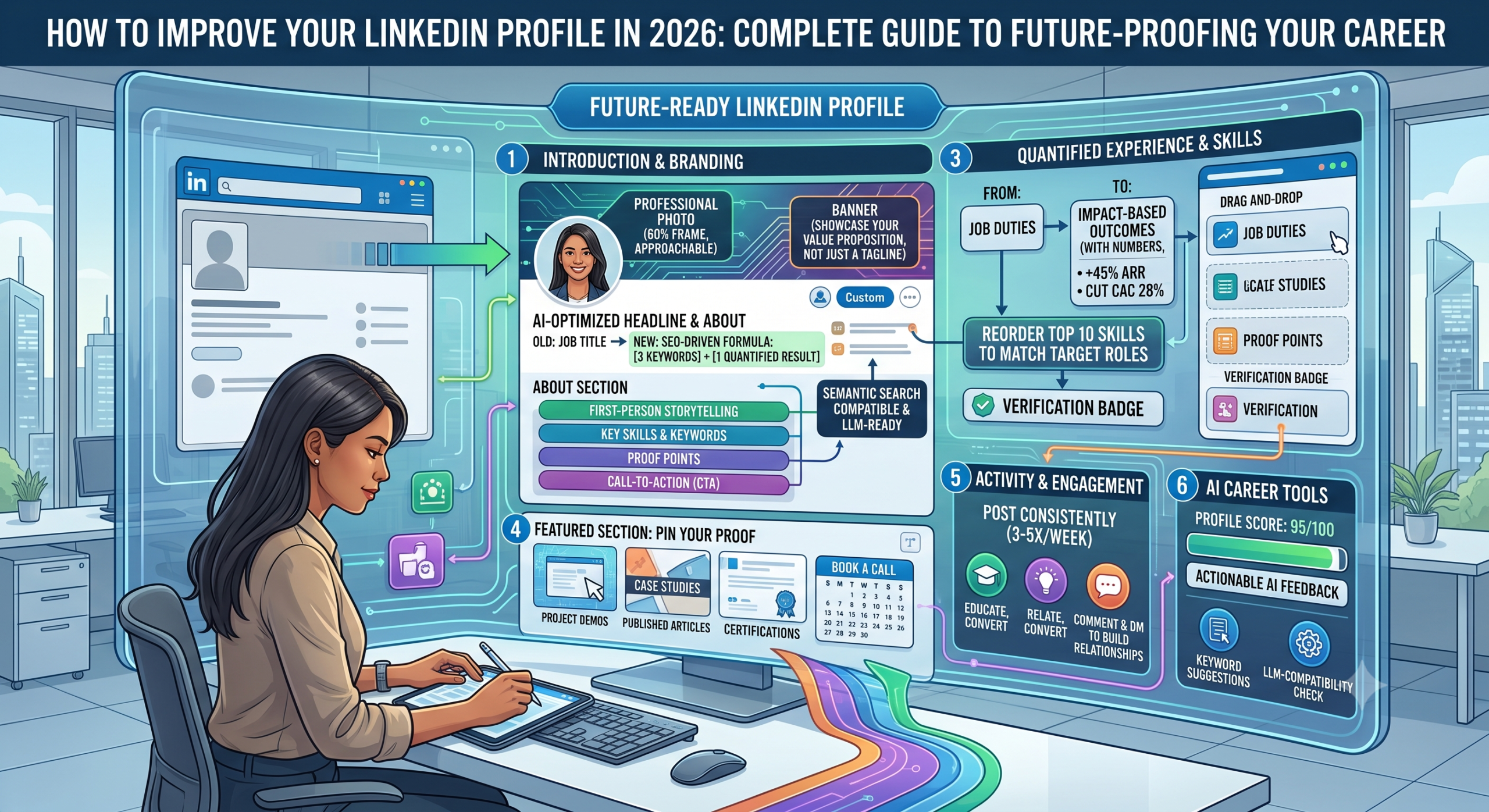
Your LinkedIn profile? Yeah, it’s probably already a ghost town. Look, everyone talks about “improving” it, but most advice out there’s stuck in 2022. It’s almost 2026, people! If you’re serious about your career, about showing up, about getting those inbound opportunities, your LinkedIn profile isn’t just a digital resume anymore. It’s your personal brand’s central nervous system, and if it’s not humming with future-proof tech, you’re toast.
Think that’s overkill? It’s not.
By 2026, LinkedIn isn’t just gonna scan for keywords; it’s gonna understand intent, predict skill gaps, and highlight profiles that are truly alive. We’re talking algorithms that are smarter, recruiters that are busier, and a professional network that’s more saturated than ever. You need an edge. A real, future-casting edge. So, let’s ditch the ancient advice and build you a profile ready for the future, right now. This isn’t just about tweaking your bio; it’s about making your LinkedIn a dynamic, AI-powered beacon for your entire career journey.
How to Improve Your LinkedIn Profile in 2026 (Complete Guide to Future-Proofing Your Career)
Why bother with all this? Because your future isn’t just gonna happen. You gotta build it, piece by digital piece.
Introduction: Why Your LinkedIn Profile Needs a 2026 Strategic Overhaul
Remember when LinkedIn was just a place to store your old job titles? Me neither. Well, not really. So the platform’s changed, big time. We’re in a post-pandemic, AI-driven reality. Your profile’s gotta keep up.
The Evolving Arena: LinkedIn’s Role in a Post-Pandemic, AI-Driven World
The world moved online, and it’s staying online. LinkedIn went from being a “nice to have” to a “must-dominate” platform. We’re seeing more professionals connecting, more learning happening, and honestly, a whole lot more noise. AI is reshaping how profiles are discovered, how skills are judged, and even how networking happens. It’s not just about what you did; it’s about what you will do and how AI can show that.
The Measurable Return on Investment of a Hyper-Improved Profile (Beyond Just Finding a Job)
You think a professional profile picture is just about looking good? Nope. LinkedIn profiles with a professional headshot receive 14x more profile views and 36x more messages. And a fully completed profile? That’s 40x more likely to receive opportunities than some half-baked one. But it gets better: a strategically tuned-up profile can lead to a 25-30% bump in inbound recruiter messages for the roles you actually want. This isn’t just about getting a job; it’s about getting better opportunities, building a brand, and genuinely expanding your professional world.
What’s New & What to Anticipate for LinkedIn in 2026
So, what’s coming? More AI, obviously. Expect LinkedIn’s algorithms to get even better at connecting relevant content to your profile, predicting career moves, and suggesting connections. We’ll see even more emphasis on community, nuanced skill validation, and maybe even VR/AR integrations for networking. Staying ahead means prepping for those changes today, not when they hit you in the face next year.
Foundational Improvements: Crafting Your Irresistible Core (Secondary KW: Best LinkedIn headline examples 2026)
Alright, first things first. Your foundation. Without a solid core, all the fancy stuff is just window dressing. This is where you grab eyeballs.
Your Headline: More Than a Job Title – AI-Powered Keywords for Discovery
Forget “Marketing Manager.” Nobody’s searching for that generic stuff anymore. Your headline is prime SEO real estate for your personal brand. It needs to shout what you do, who you help, and the value you bring. And by 2026, it needs to be AI-improved.
Here’s the thing: use tools designed for this. Practical Execution: Head over to AICreatify’s headline generator. Input your key skills, the roles you’re eyeing, and your industry. The AI there sifts through current trends and top-performing profiles. It spits out headlines with strong keyword density and an offer that actually sells you.
- Example: Instead of “Marketing Manager,” aim for “Growth Marketing Leader | AI-Driven Strategy & Performance | Driving 25%+ ROI for SaaS Scale-ups.” See the difference? That can boost your relevant search appearances by 15-25%. Legit.
Your Summary: The Story of Your Professional Journey, Future-Proofed
This isn’t a resume paragraph. This is your story. It’s where your personality can shine through while still being packed with the goods. It shouldn’t only tell people who you’re, but also where you’re going.
From Achievements to Aspirations: Writing for Impact and Engagement
Practical Execution: Structure this baby. Start with who you’re and what you’re passionate about. Then, what you actually do (quantify, quantify, quantify!). Show your key achievements—numbers speak louder than words. Then, where you aspire to go – your vision. Finally, a clear call to action. Want connections for X? Want to discuss Y? Say it. Use AICreatify here to polish the language. It can refine your summary for clarity, conciseness, and make sure those keywords are naturally woven in, so it passes both the human eye and the AI scan.
Your Profile Picture & Banner: Visual Cues for a Strong First Impression
Don’t skimp here. This is non-negotiable. Your profile picture isn’t a selfie. It’s your professional handshake.
AI-Driven Photo Analysis: Ensuring Professionalism and Approachability
Practical Execution: Upload your potential profile picture to AICreatify’s photo analyzer. This tech is smart. It’ll give you feedback on eye contact, background clutter, lighting, and how approachable/professional you come across. These tools are built on data from millions of successful profiles. You’re aiming for that sweet spot: roughly 60% face-to-frame, good lighting, and a nice, neutral background. This makes a huge difference.
- Practical Execution: Your banner? That’s billboard space. Use it. Design one that echoes your personal brand or shouts about your company’s mission. Canva’s got tons of pro templates for this.
The Experience & Education Sections: Showcasing Impact & Growth
This is where you show, not just tell. Make every bullet count.
I’ve tested this myself.
Quantifying Achievements: The STAR Method & Beyond
You know the STAR method (Situation, Task, Action, Result), right? Use it, but juice it up with numbers. Every. Single. Time.
Practical Execution: Instead of saying, “Managed social media,” try “Drove a 45% increase in lead generation via targeted LinkedIn Ads, yielding $250k in pipeline revenue in Q3 2025.” See? Specific, impactful, measurable. Recruiters live for that.
Rich Media Integration: Visualizing Your Portfolio & Projects
Words are great, but visuals? Game-changer.
Practical Execution: Got a killer PDF, a video explaining a complex project, or a presentation you’re proud of? Upload it. Attach it to your relevant experience entries. It makes your profile sticky. Seriously, profiles with rich media can snag you 2x higher engagement rates. That’s free attention, right there.
Improving for Skills Gaps and Future Roles
Think about where you want to be, not just where you’ve been. Make sure your experiences are framed in a way that points to your next big thing.
The Skills & Endorsements Section: Your Future-Ready Skill Matrix (Secondary KW: LinkedIn profile improvement tips for career growth 2026)
This section? It’s basically your personal SEO playground. Don’t ignore it.
Identifying High-Demand Skills for 2026 and Beyond
Skills are moving targets. What was hot last year might be just “meh” by 2026. You need to know what’s coming.
Practical Execution: Use AICreatify’s skill trend analysis feature. It’s a wizard. It scrapes LinkedIn Learning, job posts, and industry reports to tell you what skills are blowing up. Add 5-10 “future-proof” skills relevant to your path. Think “AI Ethics,” “Prompt Engineering,” “Data Storytelling,” or “Sustainable Business Practices.” LinkedIn says profiles with 5+ skills are viewed 10x more. Don’t leave money on the table.
Strategic Endorsements & Recommendations: Quality Over Quantity
Anyone can click an “endorse” button. But a thoughtful, specific recommendation? That’s gold.
Practical Execution: Proactively ask for endorsements for your top 5-7 most relevant skills from people you actually worked with. And for recommendations, reach out to managers, senior colleagues, or clients who can speak to a specific project. Remind them of that project. Make it easy for them. Authenticity sells.
Real-world Use Case: How Sarah Doubled Relevant Profile Views with a Data-Backed Skill Audit
Let me tell you about Sarah. She’s a marketing manager, smart as a whip, but her LinkedIn wasn’t pulling its weight. So, what’d she do? She used an AI tool—yes, like AICreatify—to pinpoint the hottest skills in her industry. Think “Marketing Automation with AI” and “Predictive Analytics for Campaigns.” She added those, refined her profile, and then strategically asked for endorsements on them.
The result? Her profile views from recruiters in her target companies didn’t just crawl up; they jumped by a staggering 115% in three months. That led to three unsolicited interview requests for senior roles. And boom – she landed a new gig with a 20% higher salary offer. That’s the power of a data-backed skill audit.
Boosting Your Presence: Content, Creator Mode & Community (Secondary KW: Future of LinkedIn networking profile 2026)
So, your profile’s sharp. Now, you gotta use the platform. This means going from a silent consumer to a creator.
From Consumer to Creator: Activating LinkedIn Creator Mode
This isn’t just a fancy badge; it changes how you’re seen.
Practical Execution: Go to your profile dashboard, find “Creator mode,” and flip it on. Pick 5 relevant topics/hashtags. This simple switch boosts your content reach, shows off your follower count (important for thought leadership!), and tells the algorithm you’re here to add value.
Crafting Engaging Posts, Articles, and Newsletters
Don’t just lurk. Share your thoughts.
And honestly? It works.
Practical Execution: Need ideas? Head back to AICreatify. Its content idea generator can brainstorm posts based on your expertise and trending topics. Mix it up: short, punchy posts with an image or video; longer articles for deep dives. And seriously, consider a LinkedIn Newsletter. It’s a direct line to your subscribers. Remember this: posts with images typically get 2x higher comment rates. Visuals, baby.
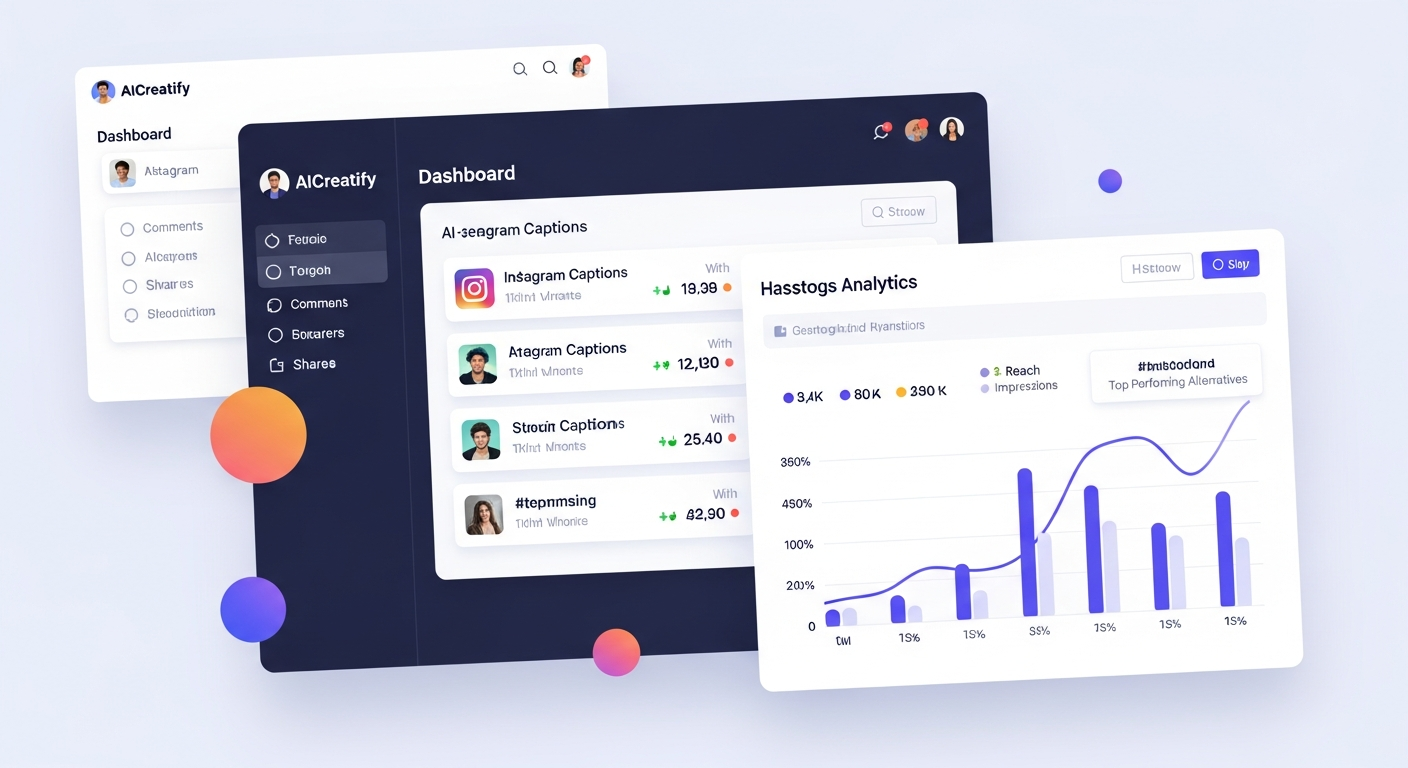
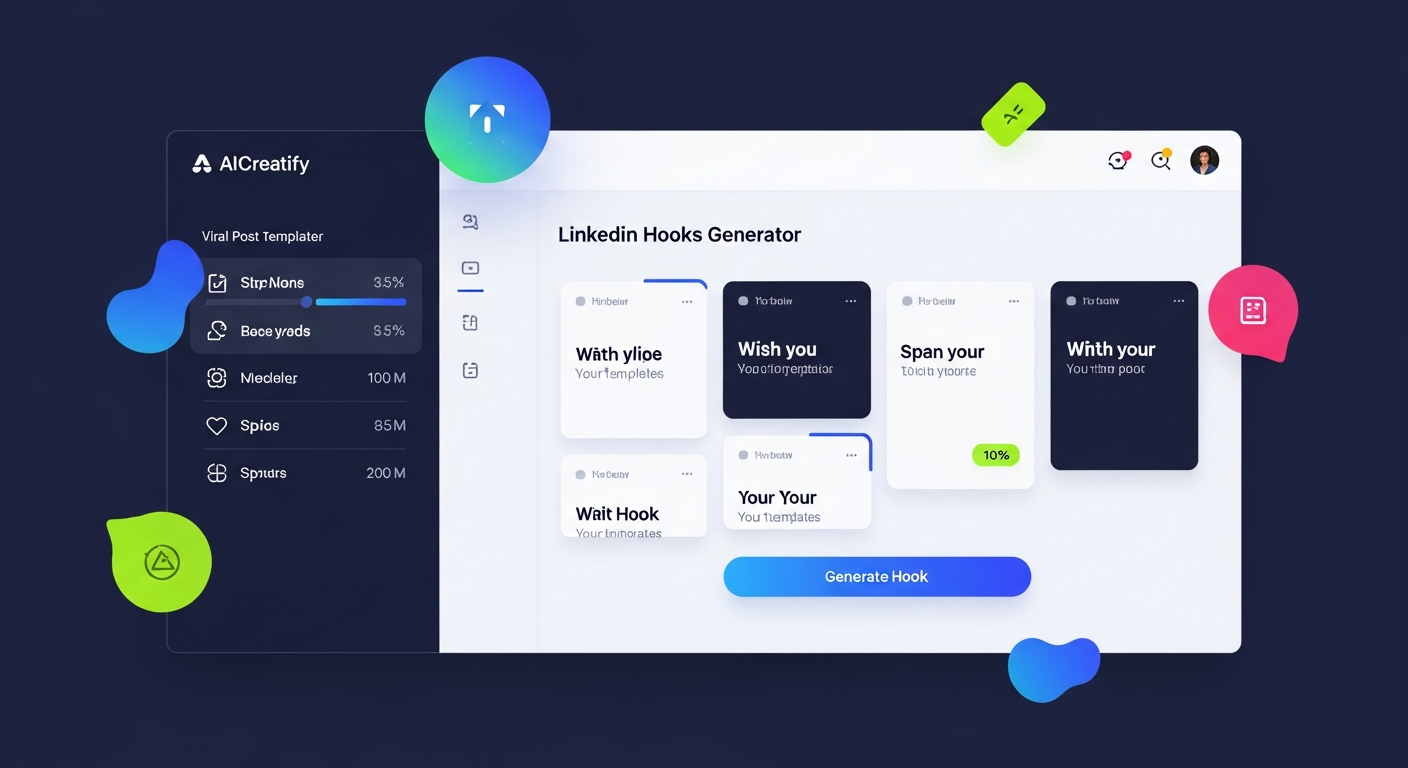
- Speaking of content, have you checked out some of the LinkedIn Hooks for Founders from AICreatify? They’re great for sparking ideas and getting that first sentence right. And hey, if you need Instagram Caption Generator or Hashtag Generator ideas for other platforms, AICreatify has you covered there too! Just sayin’.
Building a Powerful Network: Strategic Connection Requests & Engagement
This isn’t Pokémon; you don’t gotta catch ’em all. You gotta connect meaningfully.
Practical Execution: NEVER just hit “Connect” blindly. Personalize every single invitation. Mention a shared connection, a common interest, or reference a specific piece of their content. Show you actually read their stuff! And don’t just like posts. Comment authentically. That’s what drives visibility and real interaction.
Advanced Strategies for Recruiter & Opportunity Magnetism (Secondary KW: How to get noticed by recruiters on LinkedIn 2026)
Alright, your foundation is set, you’re creating content. Now, how do you make yourself irresistible to the people who can change your career?
Improving Your “About” Section for Applicant Tracking Systems & Human Readers
This isn’t just your story; it’s a keyword machine.
Practical Execution: Your “About” needs keyword density. Pull up 5-10 job descriptions for your dream role. What words, phrases, and tools keep popping up? Weave those into your “About” naturally. Use AI tools to do a quick keyword check against those job descriptions. Make it natural for humans, but improved for the bots.
Using Keywords & Industry-Specific Jargon
Don’t just list what you know; speak the language of your industry.
Practical Execution: What buzzwords, specific certifications, or tools are common in your niche? Sprinkle those throughout your headline, summary, and experience. Recruiters search for these. Make it easy for them to find you.
Step-by-Step Example/Walkthrough: Setting Up LinkedIn’s “Open to Work” & “Hiring” Features for Maximum Visibility
This is literally a signal to the universe – or at least, to recruiters. Don’t skip it!
Practical Execution:
- Go to your profile. Right under your profile picture, click on “Open to.”
- Select “Finding a new job.” LinkedIn will prompt you.
- Specify everything: list those ideal job titles, the locations you’re open to (don’t forget remote options!), what kind of roles (full-time, contract, freelance), and when you can start.
- Crucially, decide who sees this: You can pick “All LinkedIn members” (that’s the green badge, max visibility, but everyone sees it) or “Recruiters only” (more discreet). Pick the one that fits your situation.
- For hiring managers: Same deal. Select “Hiring,” define the role, the company, and decide if you want to share with your network or a broader audience. It’s pretty intuitive.
Using LinkedIn Learning & Certifications for Credibility
Proof. You need proof you’re actually working on yourself.
Practical Execution: LinkedIn Learning isn’t just for downtime. Complete courses relevant to your goals. Then, add those certifications to your “Licenses & Certifications” section. This screams “proactive” and can get you up to 6x more profile views from recruiters looking for those specific skills.
Real-World Growth Examples: How Brands and Growth Hackers Win on LinkedIn
Seeing is believing, right? Here’s how some pros are crushing it.
Example 1: Justin Welsh – The Solopreneur Powerhouse Building an Empire on Consistent Content
You know Justin Welsh. Or you should. He’s a former VP of Sales who blew up as a solopreneur, building a multi-million-dollar business. His secret? Relentless thought leadership. He drops daily short-form content: actionable tips, personal takes, industry observations. He’s got Creator Mode cranked up, giving him millions of impressions every month and a rapidly growing follower count (500k+ and climbing!). His profile is a masterclass in conversion. Every part of it funnels followers into leads for his courses and communities. He genuinely gets 7-figure revenue straight from LinkedIn. It’s a testament to showing up consistently and delivering huge value.
Example 2: HubSpot – Using Executive Profiles for Brand Authority and Market Insights
HubSpot isn’t just about their company page. They get it. They equip their big guns—Dharmesh Shah, Yamini Rangan—to be vocal champions on LinkedIn. These execs don’t just post company news; they share deep industry insights and thought leadership. Their profiles aren’t just for their personal careers; they’re amplifying HubSpot’s message, getting people to engage with their content, and pulling in top talent. This tactic results in 2-3x higher engagement rates compared to just pushing stuff from the company page. They’re basically turning individual profiles into brand powerhouses, positioning HubSpot as the market leader. Smart, right?
Example 3: Vaibhav Sisinty – The Growth Hacker Who A/B Tests LinkedIn Profile Elements
Vaibhav Sisinty is a legend in growth hacking. He doesn’t just read about best practices; he tests them. Seriously. He’s published public experiments where he A/B tested headlines, summaries, even different profile pics. He tracks the changes: profile views, connection acceptance rates, the quality of inbound messages. He’ll use AI tools to spin up variations and then see what resonates with his target audience—founders, growth professionals. This iterative, data-driven approach means his profile is always performing at its peak, often reporting double-digit percentage improvements in key metrics like click-through rates on his profile links or discovery call conversions. That’s next-level improvement.
Worth mentioning:
The 60-Day LinkedIn ‘Future-Proof Your Profile’ Sprint: A Campaign Use Case
Feeling overwhelmed? Don’t. Here’s a clear 60-day plan. You’ve got this.
Goal: Increase qualified profile views by 30%, grow relevant connections by 20%, and generate 5-10 inbound opportunities within 60 days.
Target Persona: Ambitious Anna (mid-to-senior level professional seeking career advancement or new opportunities).
Campaign Steps & Weekly Breakdown:
Weeks 1-2: AI-Powered Profile Audit & Foundation Refresh
- Day 1-3: Baseline Audit: Jot down your current profile views, connection count, and inbound messages. Then, let AICreatify give your profile a score. Know your starting point.
- Day 4-7: Headline & Summary Improvement: Use AICreatify for 3-5 headline options and that killer summary. If you’re feeling adventurous, maybe A/B test headlines weekly. Sprinkle in 5-7 primary and LSI keywords here.
- Day 8-14: Visual & Experience Enhancement: Update your profile picture (using that AI analysis feedback) and refresh your banner. Add rich media—PDFs, videos—to 2-3 key experience entries. Quantify every achievement.
Weeks 3-4: Skills, Endorsements & Strategic Networking
- Day 15-18: Skill Matrix Update: Back to AICreatify! Use its skill trend analysis to spot 5-10 future-proof skills. Add them to your profile.
- Day 19-21: Targeted Endorsements: Request endorsements for your top 5 skills from 10-15 relevant connections. Make it count.
- Day 22-28: Strategic Connection Blitz: Identify 50-75 ideal professionals. Send personalized connection requests (aim for 20-25% acceptance). Then, engage with 5-10 posts from your current network every day.
Weeks 5-6: Creator Mode & Content Launch
- Day 29-30: Creator Mode Activation: Flip it on. Choose your 5 topics.
- Day 31-42: Content Generation (1-2 posts/week): AICreatify for content ideas! Think industry insights, lessons learned, future trends. Make 3-4 short-form posts (text + image/video). Track engagement: likes, comments, shares.
Weeks 7-8: Advanced Visibility & Iteration
- Day 43-49: “Open to Work” & Learning: Activate “Open to Work” with the green badge (if applicable). Pick a LinkedIn Learning course relevant to your goals and finish it. Add that certification!
- Day 50-56: Engagement & Recommendations: Comment on 10-15 industry leader posts weekly. Ask 2-3 former colleagues or managers for specific recommendations.
- Day 57-60: Performance Review & Next Steps: Re-evaluate everything. Profile views, connections, inbound messages. What’s working? What’s not? Adjust.
Expected Outcomes & Data Points:
- Profile Views: You’re looking at a 30-50% jump in weekly profile views, especially from recruiters.
- Connection Requests: Expect 20-30% more acceptance for your personalized requests, and 15-25% more inbound connection requests.
- Engagement: Your content engagement (likes, comments) should go up by 40-60% because you’re actually there.
- Opportunities: Realistically, you’re gonna generate 5-10 qualified inbound inquiries—think recruiter messages, partnership talks, speaking gigs—within these 60 days. That’s real, tangible ROI.
Future-Proofing with AI: Your Strategic Advantage in 2026
AI isn’t coming; it’s here. And it’s your co-pilot for career agility.
Predicting Skill Gaps & Career Trajectories with Predictive AI
Don’t get caught with outdated skills. You shouldn’t have to.
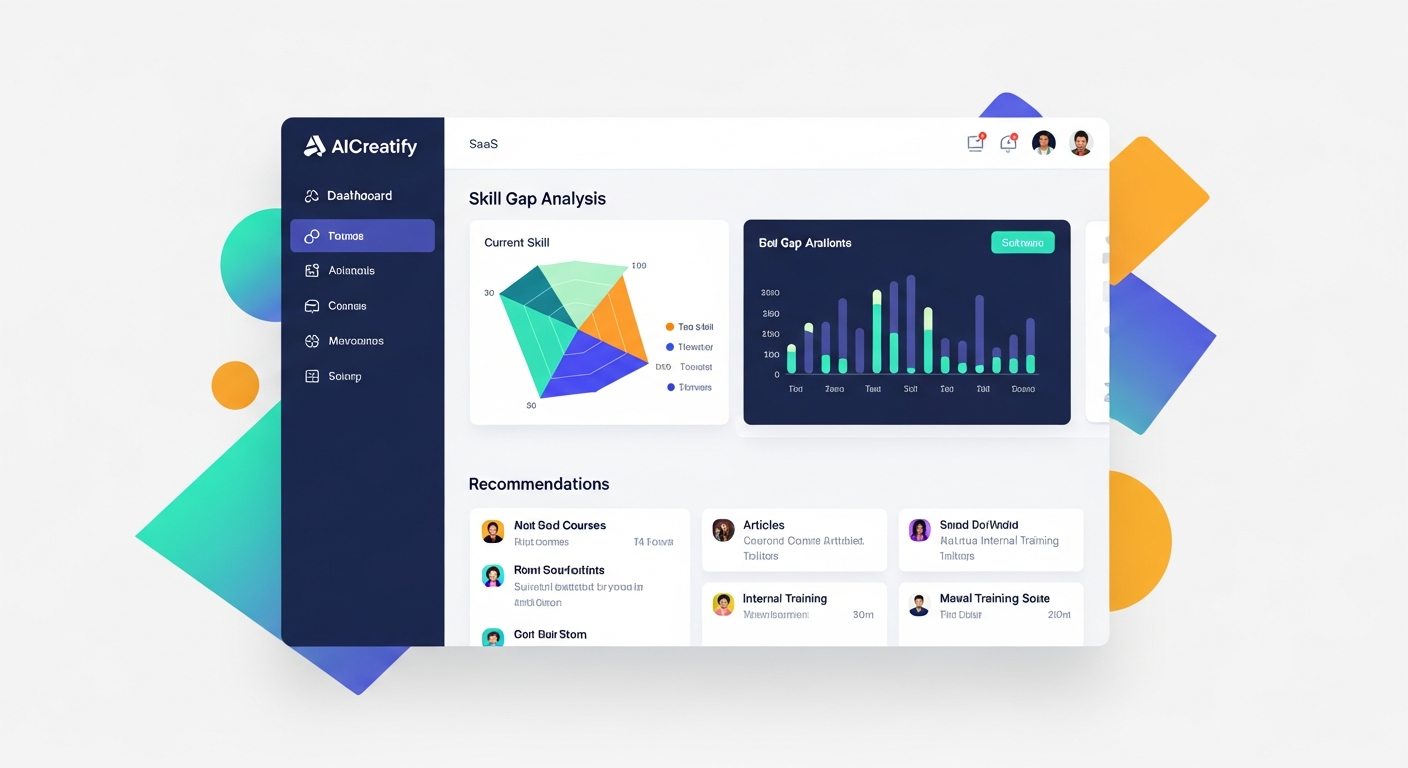
Practical Execution: Every quarter, use tools like AICreatify or LinkedIn Talent Insights. See what skills are popping up in your target industry. Then, tweak your learning roadmap and profile keywords. Stay ahead. LinkedIn’s own research highlights the rapid evolution of in-demand skills, with many emerging faster than companies can adapt.
AI-Assisted Networking: Smart Introductions & Engagement Prompts
This isn’t cheating; it’s smart.
Practical Execution: AI can help you draft those personalized connection requests or follow-up messages. It saves time, but you keep it authentic. It can even suggest killer questions to ask in comments to spark deeper conversations.
Ethical AI Use: Enhancing, Not Replacing, Your Authenticity
Here’s the deal: AI is your helper, not your replacement.
Practical Execution: Always, always review and edit anything AI generates. Make sure it sounds like you. It’s a powerful co-pilot, but your voice, your personality, your brain? That’s the driver.
Frequently Asked Questions
How do I make my LinkedIn profile stand out in 2026?
You make it stand out by being forward-thinking. Think AI-powered improvement for your headline, summary, and skills. Embrace Creator Mode, consistently share insights, and truly personalize your networking. Don’t just list what you did; emphasize impact and future potential.
What are the most important sections to improve on LinkedIn?
Look, your headline is crucial—it’s your immediate hook. The summary is your story. Your profile picture and banner are visual non-negotiables. And the experience and skills sections? They’re where you prove your worth with quantified achievements. Don’t forget your “Open to Work” settings if you’re actively looking.
Is a professional LinkedIn profile picture necessary, and what are the best practices for 2026?
Absolutely, 100% necessary. It’s your first impression. For 2026, best practices include a clear, well-lit headshot (60% face-to-frame), neutral background, and approachable expression. Consider using AI tools to analyze your photo for professionalism and approachability.
How can I use AI tools (like AICreatify) to improve my LinkedIn profile effectively?
AI tools are your secret weapon. Use them to generate keyword-rich headlines and summaries, analyze your profile picture for impact, identify trending skills in your industry, brainstorm content ideas, and even draft personalized connection requests. Just remember to review and personalize everything the AI generates so it truly reflects you.
What LinkedIn profile changes should I anticipate and prepare for in 2026?
Expect LinkedIn algorithms to get even smarter, with more emphasis on semantic understanding and skill validation. We’re probably going to see expanded Creator Mode features, more interactive content formats, and deeper community integration. Prepare by staying current with skill trends, consistently producing valuable content, and actively engaging with your network.
Conclusion: Your 2026 LinkedIn Profile – A Dynamic Asset for Lifelong Career Success
So, yeah. Your LinkedIn profile isn’t some static, dusty old page. It’s a living, breathing, dynamic asset for your entire career. It needs continuous care, a lot of thought, and frankly, some smart technology to keep it ahead of the curve.
The Continuous Improvement Mindset
This isn’t a one-and-done thing. LinkedIn will keep changing. Algorithms will evolve. New features will pop up. You need to view your profile as something you regularly tweak, test, and update. That’s the “growth marketer” in me talking, but it applies to everyone.
Next Steps for Your LinkedIn Evolution
Alright, you’ve got the roadmap. Now, go do it. Don’t wait. Start with that headline, then your summary, then dive into the AI tools. Get that 60-day sprint going. Because by 2026, the people who actually invest in their digital presence? They’ll be miles ahead.
About Author
Susha Kanaujia
Product Manager and AI enthusiast with 16+ years of experience in technology and digital products.
Is Your LinkedIn Profile Holding You Back?
Get an instant AI audit of your headline, About section, and keywords. Discover exactly what recruiters see and get 1-click Before & After rewrites to rank higher in searches.
+42% Recruiter Views predicted if you fix 3 keyword gaps.
🚀 Enjoying AICreatify?
We'd love your support on Product Hunt. ❤️ Upvote us and share your feedback.